




1. git仓库本地代码仓库
点击下面创建本地代码仓库。
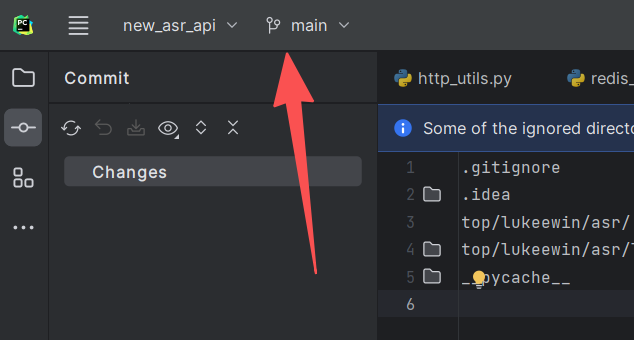
也可以使用命令创建。
git init
创建忽略文件。
.gitignore
添加内容到本地缓存中。
git add .
提交缓存到本地代码仓库。
git commit -m '你要备注的内容'
2. github中创建远程代码仓库
点击下面箭头指向按钮创建远程代码仓库。

创建过程要求输入项目名称和选择是否对外可见,以及readme和LICENSE是否创建。
3. 关联本地代码仓库和远程代码仓库
git remote add origin git@github.com:user/new-repo.git
也可以同时关联多个远程代码仓库,比如在关联到gitee中也可以的。
查看关联情况。
git remote -v
删除关联。
git remote remove origin
也可以修改。
git remote set-url origin https://github.com/user/new-repo.git
4. 提交本地代码仓库内容到远程代码仓库
git branch -M main
git push -u origin main
第一次提交添加了-u参数,之后提交的时候直接git push即可。这里推荐使用ssh方式提交,更加稳定,如果用https方式,国内用户可能会因为网络问题无法提交到github。
5. 提交多了的文件怎么办
我这里多提交了python项目中的一个文件夹。我需要在客户端通过命令先删除本地库中的内容,然后重新提交一遍到远程库中。
为了防止下次提交在提交这个不需要的文件夹,我们需要把它添加到忽略文件中。
__pycache__
git rm -r --cached .\top\lukeewin\asr\entity\__pycache__
git commit -m 'remove all __pycache__ directories'
git push
Q.E.D.